# Types of cards
It is used to create/edit/delete card types, according to which the server is then guided when saving and synchronizing card templates.

Types of cards settings:

BasicCode- Required, unique numberName- Required , optionalDescription- Optional
ExtendedCard number entry format- Hexa, Byte, Decimal, Decimal (fix)Card number length- numeric valueThe length of the fixed part of the number- numeric value, only in Decimal (fix)Prefix length- numeric valuePrefix content
SegmentsTemplate type- APIS reader, ZK, ZK ACPInverse card number- loading the card number in reverseCard number length- max length = extended: card number lengthCard number entry format- Hexa, Byte, Decimal, Decimal (fix)The length of the fixed part of the number- numeric value, only in Decimal (fix)Card number display format- Hexa, Byte, Decimal
The most used are:
MARINE(EM) - they communicate at a frequency of 125KhzMIFARE- they communicate at a frequency of 13.56MhzHID- different, adjustablePROXY- they communicate at a frequency of 125KhzŠPZ- it is used for mobile devices - cameras- etc.
# MARINE - EM
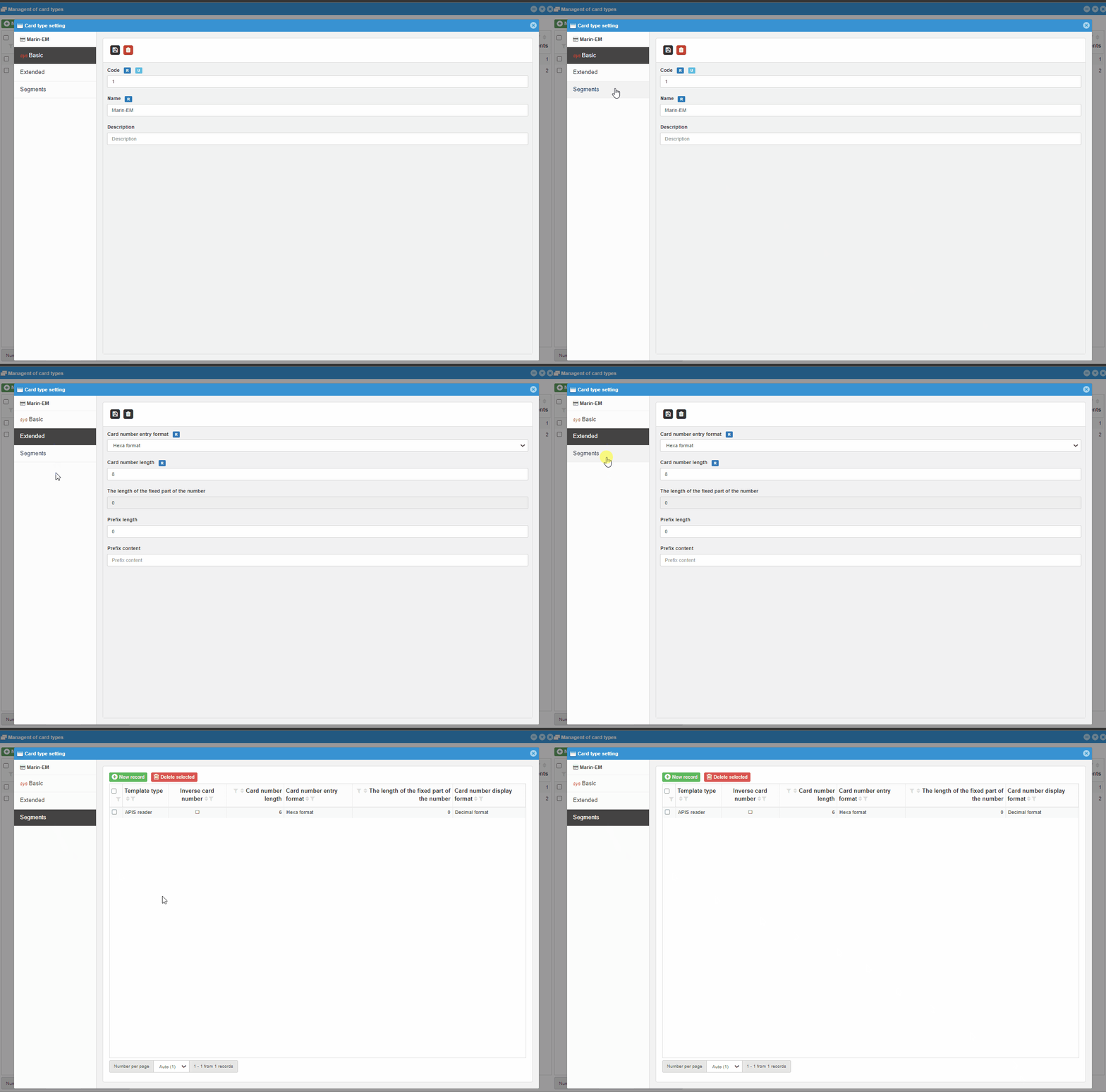
For MARINE type cards, it is necessary to set:
-
BasicCode- Required, unique numberName- Required , optionalDescription- Optional
ExtendedCard number entry format- Hexa formatCard number length- 10The length of the fixed part of the number- 0Prefix length- 0Prefix content- empty
SegmentsTemplate type- APIS reader, ZK, ZK ACPInverse card number- noCard number length- 6Card number entry format- Hexa formatThe length of the fixed part of the number- 0Card number display format- Decimal format
# MIFARE a HID
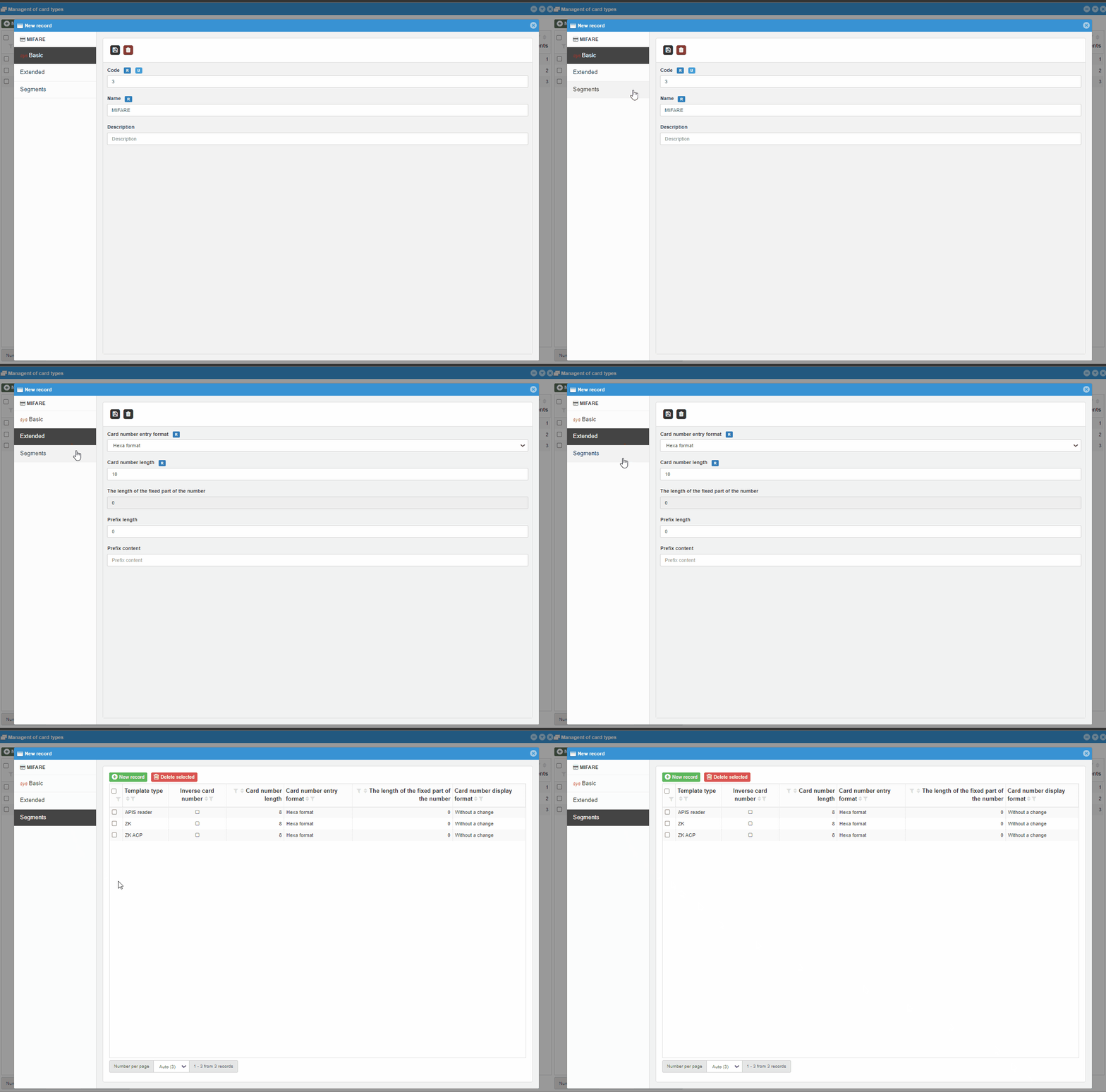
For MIFARE type cards, it is necessary to set:
-
BasicCode- Required, unique numberName- Required , optionalDescription- Optional
ExtendedCard number entry format- Hexa formatCard number length- 10The length of the fixed part of the number- 0Prefix length- 0Prefix content- empty
SegmentsTemplate type- APIS reader, ZK, ZK ACPInverse card number- noCard number length- 8Card number entry format- Hexa formatThe length of the fixed part of the number- 0Card number display format- Decimal format
Note
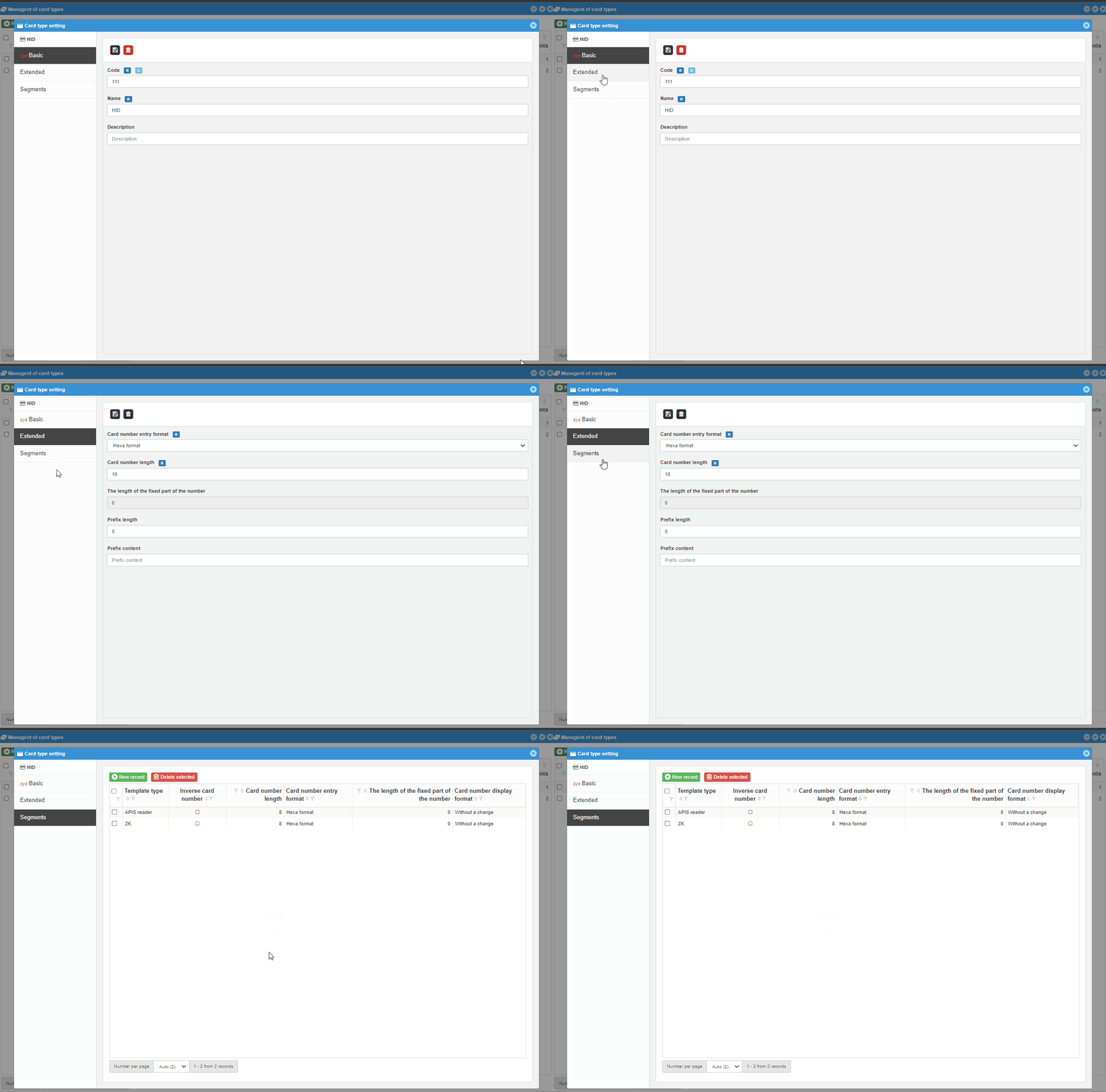
HIDs are set according to the test card from the customer, so settings may vary
# Settings for the APIS reader
In Reader settings it is necessary to adjust the settings according to the type of loaded cards:
| Setting | Marin | Myfare | HID |
|---|---|---|---|
sys_card_length_max | 3 | 4 | 4 |
sys_card_dec_length_max | 8 | 10 | 10 |
sys_card_offset | 2 | 0 | 0 |
sys_card_read_order | 0 | 1 | 0 |