# Readers actions
It is used to control reader actions.
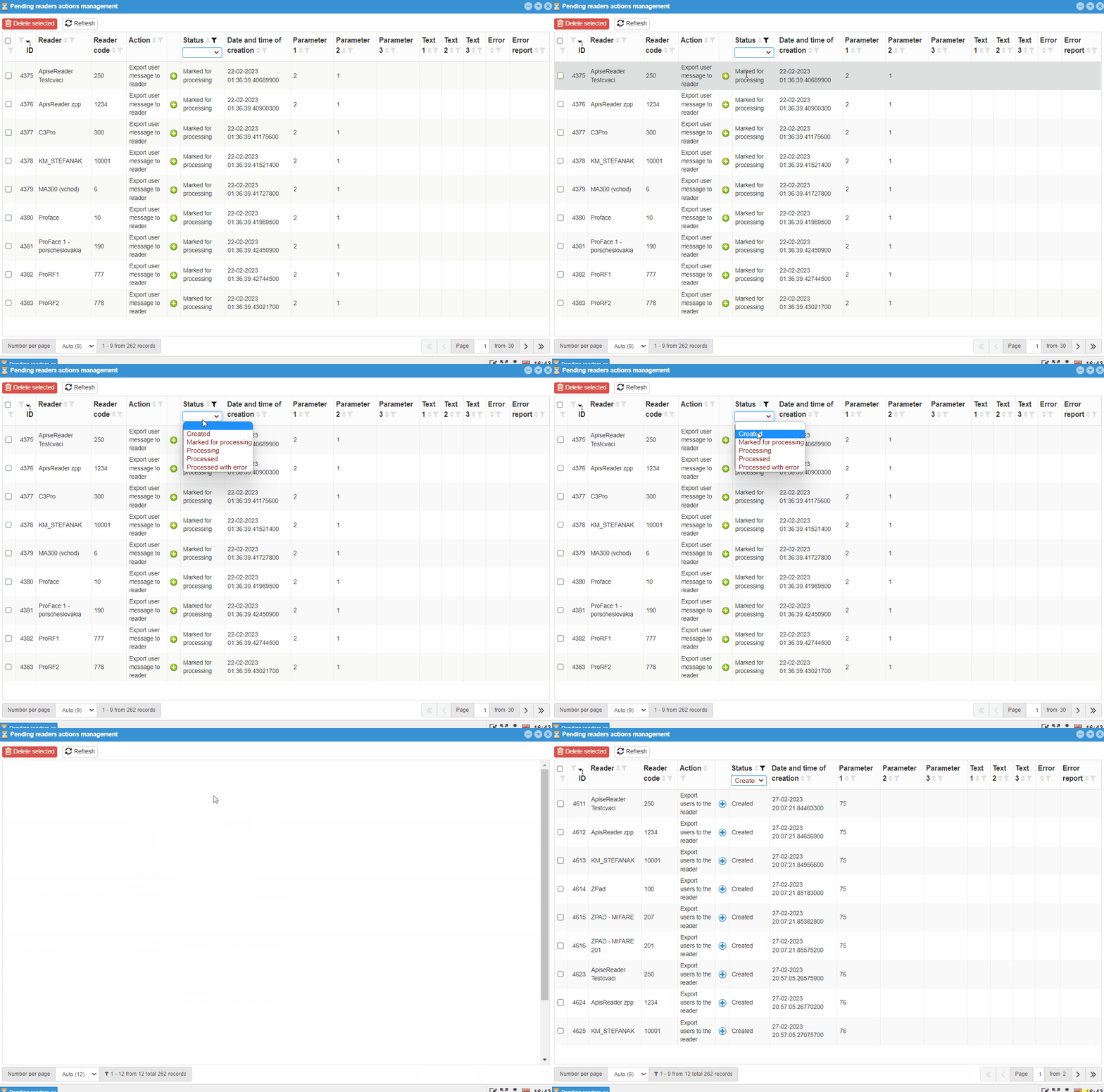
Warning
If the action is in the status Marked for processing and Processing, further actions on the given reader will not take place until these are completed. Therefore, in this case it is better to have the action end with an error.
# Filtering
Like most tables in this system, this one can be filtered. This is filtering by:
IDReaderReader codeActionStatusDate and time of creationParameter 1Parameter 2Parameter 3Text 1Text 2Text 3ErrorError report
On some filters such as Reader, Action, Status you can choose from options other than e.g. Date and time of creation, Text 1, Text 2, Text 3, it is necessary to fill the filter condition with the searched text.
# ID
ID is the serial number of the action. Action numbers are not deleted, even if they can no longer be seen in Readers Actions.
# Reader and reader code
Filter Reader searches for the specified pattern in the names of the readers for which the action was intended. The Reader Code filter works the same way, but searches in the reader code. Both parameters are set in Reader- reader management in an individual reader.
# Action
The Action filter divides the records according to the actions that the reader should perform during this action. So there is a possibility of more choice:
Refresh all reader settings- deleting the readerand recreating the reader with downloading the reader settingsExport parameter to the reader- sending the setting to the readerExport user to the reader- synchronizing the user's templates to the reader, will only transfer the discrepanciesExport users to the reader- adding users to the readerDeleting users from the reader- removal of user templates of a given reader type from webPatrolDelete all users from the reader- removing templates from all users at the same timeLoading users from the reader- import of users from the reader to the serverLoading all users from the reader- import of all users from the reader to the serverExport all users to the reader- reader synchronization with the option to synchronize all users to selected readersExport user message to the reader- intended for updating information for the user, is carried out automatically. Updates information such as:BalanceFundHoliday - balanceUser message 1User message 2User message 3All user messages
Export all user messages to the reader- export messages to all users on the readerExport group of users to the reader- export of users who use settings from the User groups code listExport group of users to the reader- export user who uses the settings from the User groups code listDeleting a group of users from the reader- delete users using the User Groups settingReader upgrade- detection of the reader version, update if the version is olderLoading users list from reader- import of basic user information located on the reader into the tableCreating a template from the data-creating a blank template on the reader and sending it to the serverEnable user- enables / disables the userDate and time settings- updating the date and time on the readerInitialization- initial setting of the readerExport button settings to the reader- sending the current button setting to the given readerExport messages to the reader- sending messages from the server, from reader settings - Settings by reader type - Messages; these messages are displayed to every userExport breaks to reader- sending breaks to the readerExport information about associated readerDelete the associated readerDelete all associated readersExport of time zones to the reader-sending the time zone setting to the readerRead button settings from readerReading messages from the readerReading breaks from the readerReading parameters from the readerLoading version from readerReading time zones from the reader
# Status
Reader actions can also be divided by the Status filter:
Created- actions proposed by the system are also included among the created reader actions, e.g. then as the user changes the template, but does not synchronize it with the readers where the original template is locatedMarked for processing- reader actions to be sent to the reader, but the connection between the server and the reader has not yet been established *1Processing- reader actions have been sent to the reader and are taking place on the reader *2Processed- reader actions were processed without errorsProcessed with error- processing of reader actions took place, but an error occurred somewhere *3
Information
*1 Marking an action with this status for a long time may indicate a problem in the network elements, in the network.
*2 Marking an action with this status for a long time may indicate a processing problem.
*3 In this case, it is necessary to find out what problem has occurred and eliminate it.
Examples
Processing:
The user removes the card template of another user. He does not synchronize this change with the reader and then assigns the given card to another user. When entering the synchronization of only changed ones, the reader will not delete users with their templates and therefore, when processing the command, it will try to assign the card to the user, but it will not be able to, because it is owned by another user.
Processed with error:
The user synchronizes a large number of changes and only one of them will occur, or a limited number of changes will occur with an error state, which will end the action and thus not be fulfilled in its entirety.
# Date and time of creation
This creation date and time filter is a bit different from other time/date filters. It searches for everything that contains characters entered by the user, i.e. also "4.7", for other time/date filters it is necessary to enter the entire date and time in the correct format.
Example
This filter also accepts "4.7", or "13:15".
For others, it is necessary to enter the correct format, i.e.: "10.5.2022 09:40:00".
# Others
Others include:
Parameter 1to3Text 1to3ErrorError report
These filters are intended more for the software technician / programmer.
# Error
The error filter includes:
Timeout- the action took longer than the specified timeSync error